
Everyday work
Recurring work
Describe monthly, quarterly and yearly work once, and Claister creates a task for every client every cycle.
Most of an accounting firm's work comes round again: payroll every month, VAT every month or quarter, annual reports every year. On Recurring you describe each kind of work once and choose the clients it is for. Claister creates each client's task for every cycle before it is due.
Set up recurring work
- On Recurring, press Add recurring task.
- Pick a ready-made template or one of your own, or press From scratch.
- Name the work, for example "Monthly payroll". Every client's task gets this name.
- Choose how often it repeats: every month, quarter or year, and on which day it is due. A deadline that falls on a weekend can move to the working day.
- Press Continue, tick the clients you do this for and press Create recurring task.
The matrix
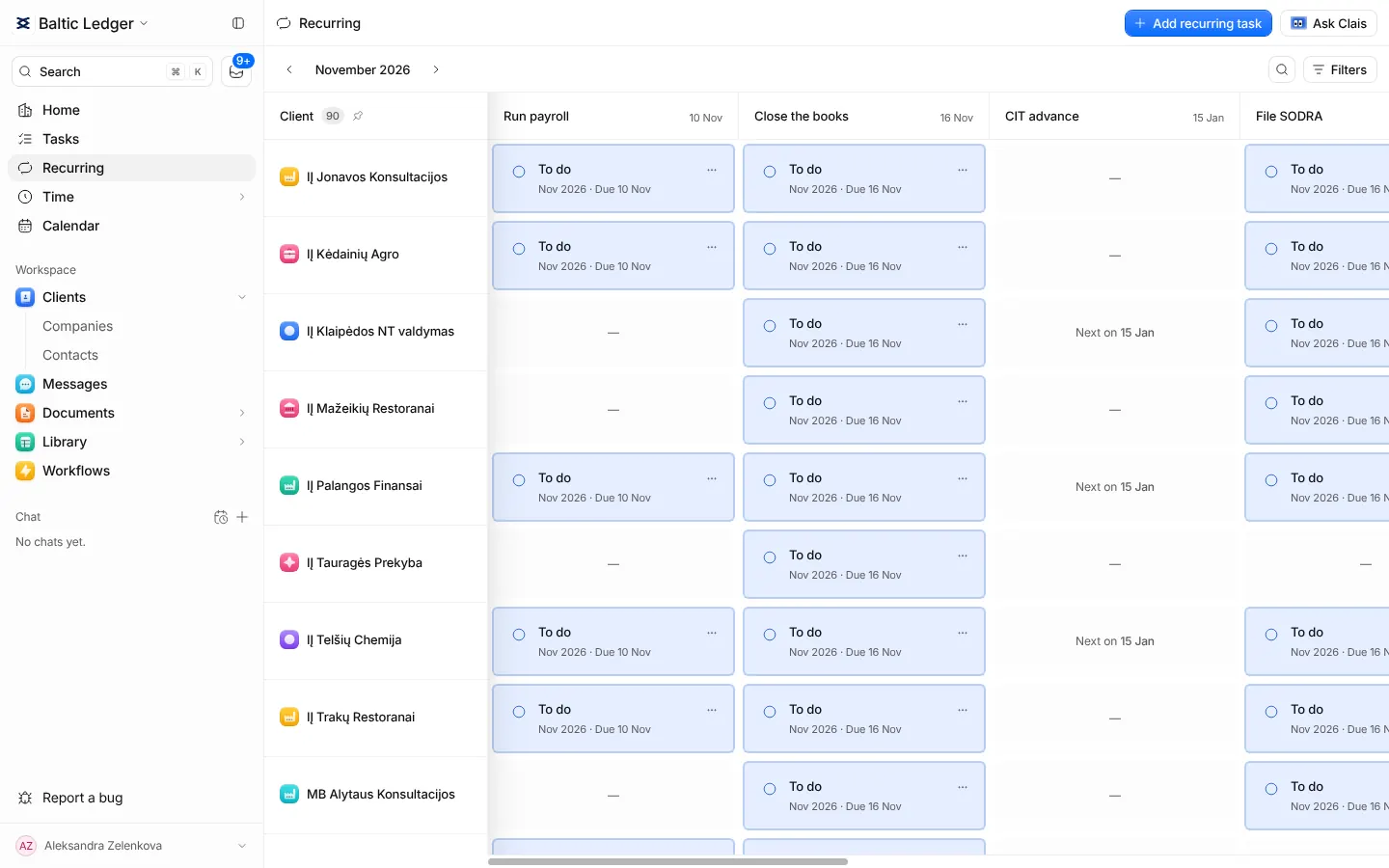
The page is a grid: clients down the side, recurring work across the top, and in each cell the current cycle's state. Complete a cycle from its cell, or skip it with a reason. Older cycles that were never closed stay visible until someone deals with them.
Filters → Task keeps the grid to the work you choose. With a status beside it, it shows at a glance for which clients a task is done and for which it is still open.
Changing a schedule
Changing the due day of recurring work also moves its open cycles that are not yet due. Cycles that are late, finished or moved by hand keep their dates. Tasks already created keep their history.
Every client's record has the same view on its own Recurring tab, with twelve months of cycles.