
Everyday work
Client portal
The client's own place to upload documents, answer requests, read reports and write to the firm.
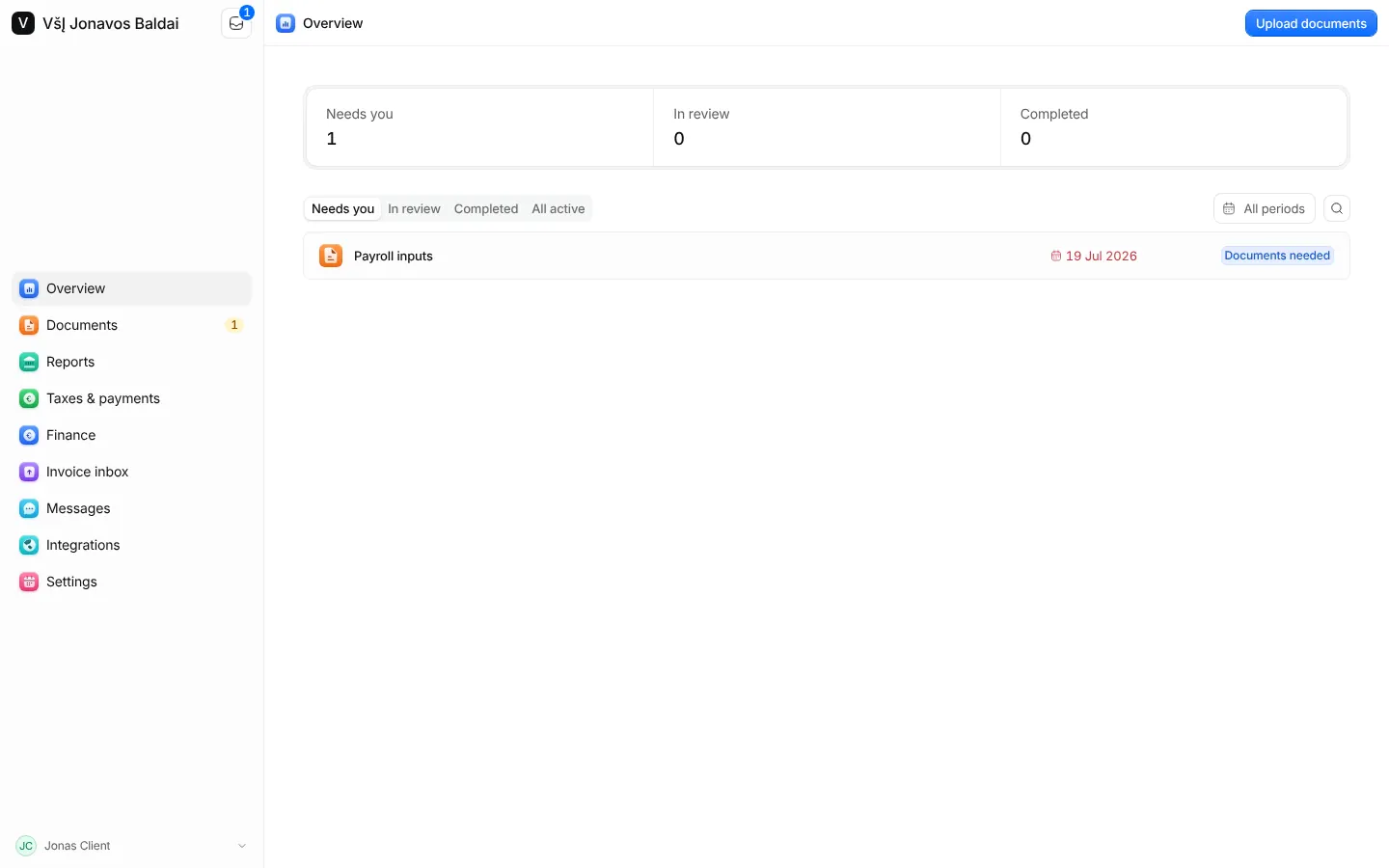
The client portal is what your clients see. It shows only what you share with them: their requests, their documents, reports you made visible, payments and conversations with the firm. Your notes, internal tasks and unshared files never reach it.
Invite a client
- Open the client and go to its Portal tab.
- Press Invite to portal and enter the person's email address.
- Send the invitation by email, or copy the link and send it yourself, for example in Telegram.
The invitation is valid for seven days and works only for that email address. An expired one can be sent again. Remove access takes the portal away from a person at once.
What the client does there
- Needs you opens first: what the firm is waiting for from them.
- Uploads: the client drops files, or takes a photo on the phone, and that is all. Each file is checked, filed under the document it answers and sent to you; a request is sent back by itself once every item is accounted for.
- Messages: a conversation with the firm, in general or about a particular request, report or payment, with files attached.
- Reminders: each person chooses how often to be reminded about what is due, or turns reminders off.
Clients sign in with the password they chose when they joined, or ask for a one-time code by email.