
Everyday work
Documents and requests
Every file a client or your team uploads, kept private, and requests that ask clients for what is still missing.
Documents has two parts: All documents, every file in the firm you can see, and Requests, what you have asked clients to send.
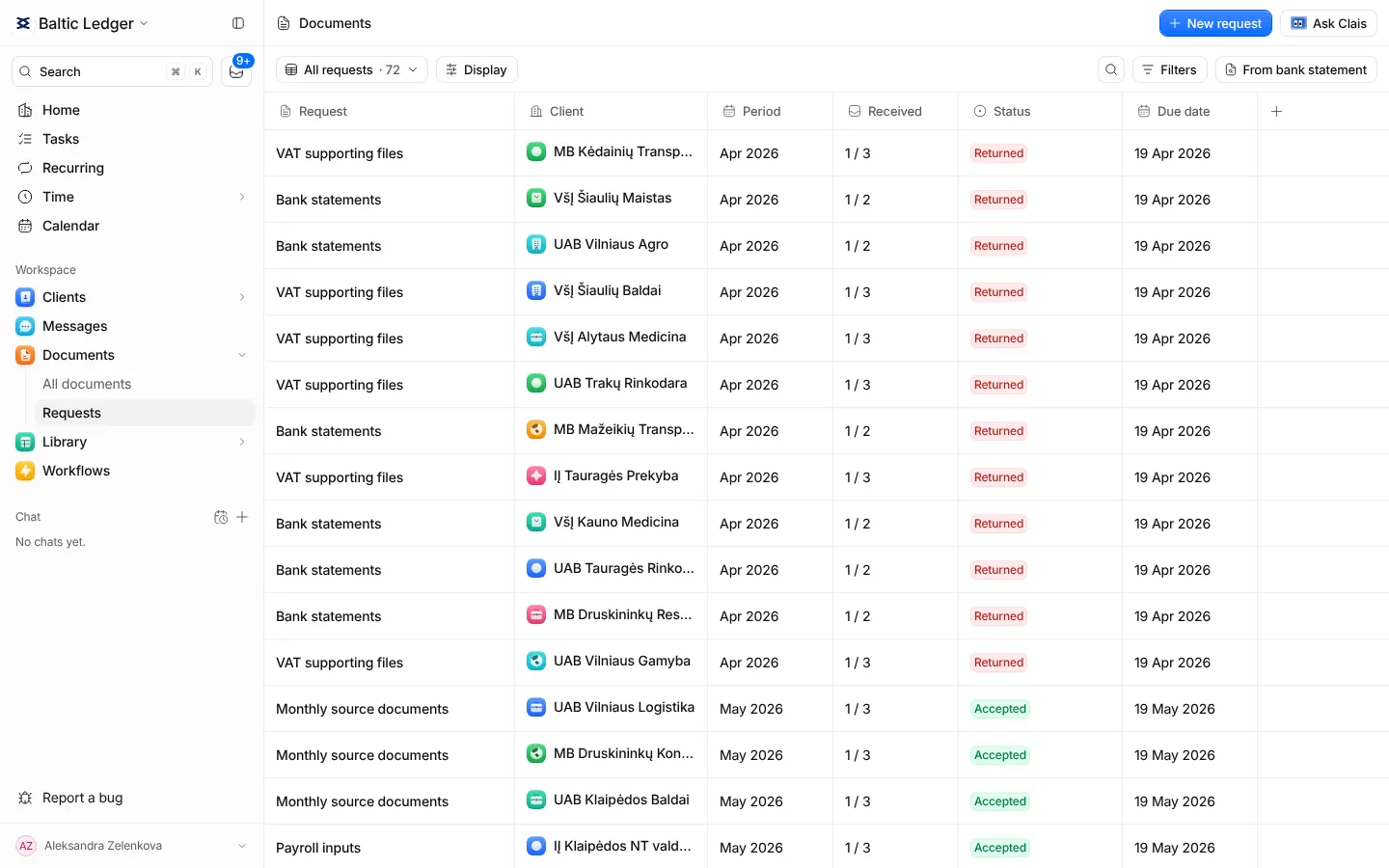
Documents
Files open in a preview inside Claister. Filter by client and accounting period. A new version of a file keeps the old ones, and a task linked to a document always shows its latest version.
Add a comment to a document to say what it is. The comment is shown beside its name, stays with its new versions and is never shown to the client.
Files are private: there are no public links, every download checks who is asking, and every upload is scanned for viruses before anyone can open it.
| Upload | Accepted |
|---|---|
| Formats | PDF, PNG, JPG, CSV, TXT, MT940, STA, XLS, XLSX |
| Size | Up to 20 MB per file |
Ask a client for documents
- On Requests, press New request.
- Name what you are collecting, for example "September bookkeeping documents", and choose the client.
- Choose the month the documents are for and the date you need them by. The client sees that date too.
- Type each document you need, such as "Bank statement", and press Enter after each.
- Press Create request. Nothing is sent yet: on the next screen you choose how.
You can send a request by email from a connected mailbox or in the client's Telegram chat, and Clais can draft the message. The client always sees it in the portal.
While the client answers
Each requested document has its own row. The client uploads files or explains why one is not available, and each file lands under the document it answers. When every item is accounted for, the request comes back to you for review.
You accept a file or ask for a correction. A request close to its due date shows on Home with a reminder one press away.