
Everyday work
Home
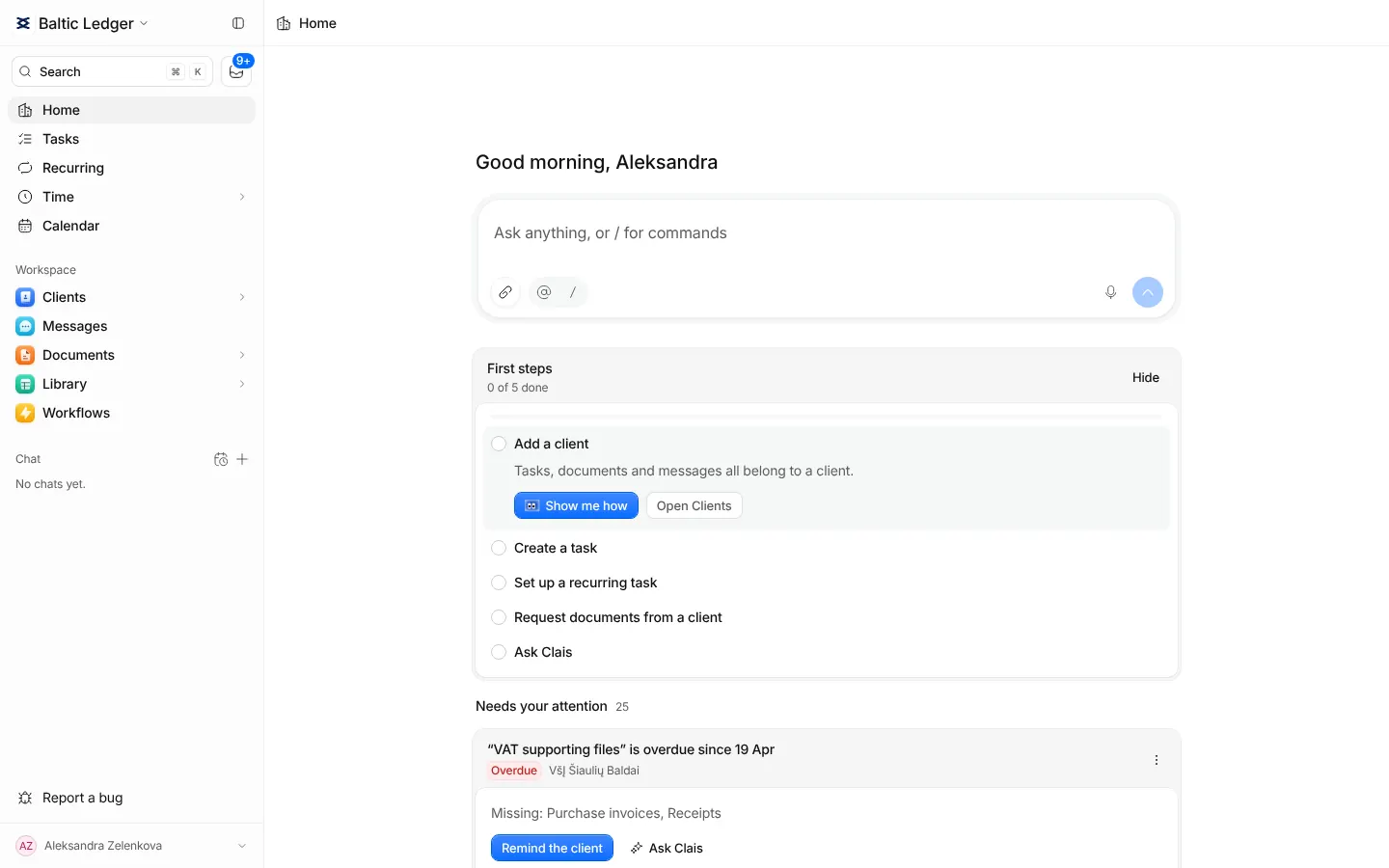
The feed of what needs you today, with the next step on every card, and a box to ask Clais.
Home is the first page you see. At the top is a box for asking Clais anything. Under it is a feed with one card for each situation that needs a person.
What shows up
- A client's Telegram message or email that has gone unanswered.
- An unanswered message in the client portal.
- A document a client sent that matches one of your requests.
- A request whose due date is close, or that the client has completed.
- A task that is due.
A card closes by itself when the situation is over: when someone replies, the document is reviewed or the task is done. You do not have to clear the feed by hand.
Acting on a card
Each card carries the one step that moves it on, such as Reply, Create task with the form already filled from the message, Attach to the request, Remind the client or Open task. Files on a card open in a preview with a short summary of what they are.
If a card is not for now, press Snooze. If it should not be there at all, press Hide and say why, so the feed learns what matters to you.
Asking Clais
Type a question in the box at the top, for example "what is overdue for my clients this week". The answer continues as a chat. See Clais.
First steps
A new person sees First steps on Home: add a client, create a task, set up a recurring task, request documents and ask Clais. The list shows only what your access allows. Show me how starts a short guide on the real page.